Version française : Sonodrill en français.
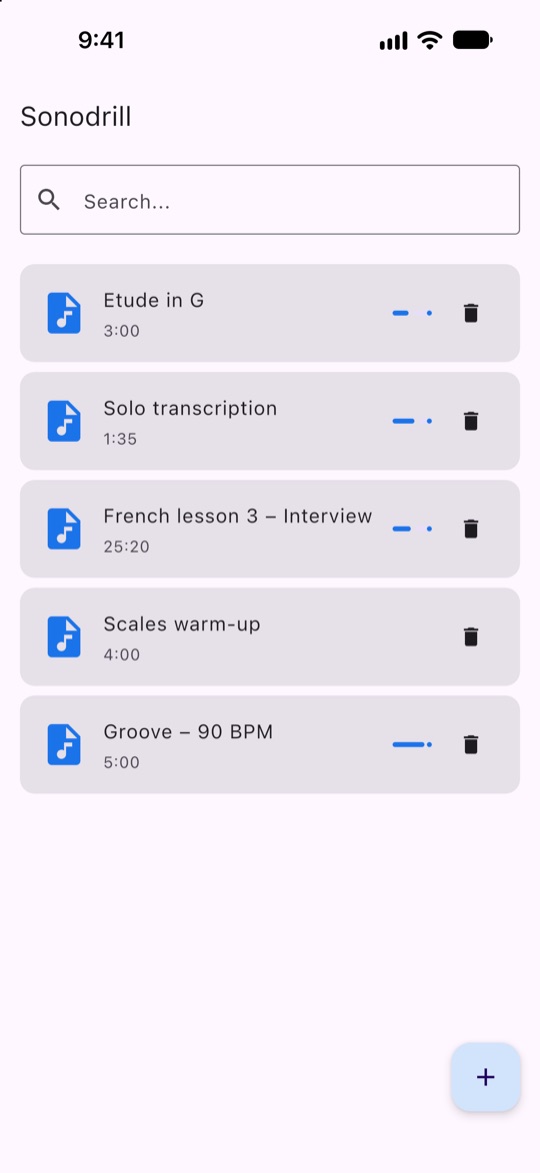
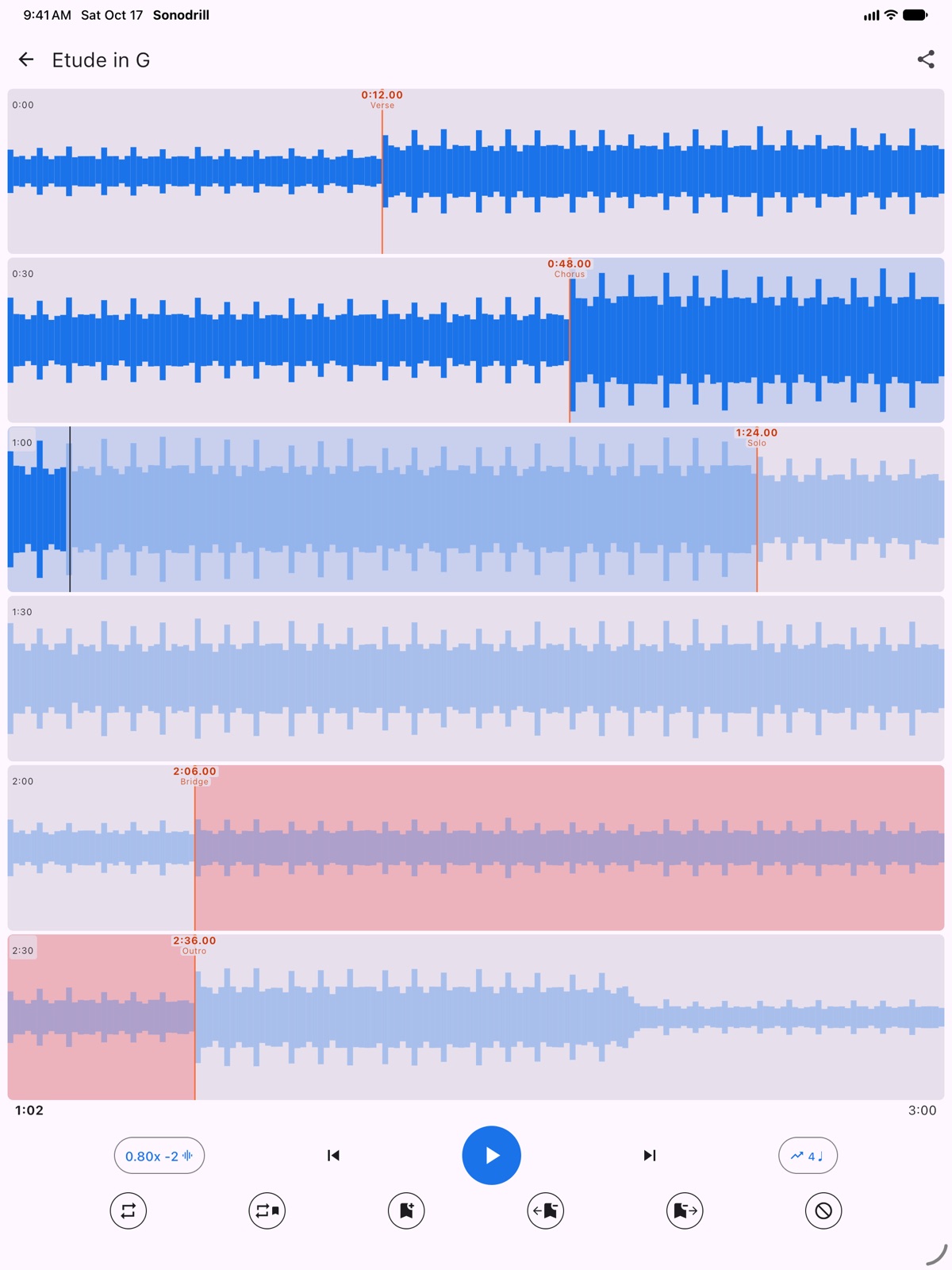
Sonodrill is an app to practice with audio, on iPhone and iPad. Import a song, a backing track or a recorded lesson, place marks where the sections start, then loop, skip and slow down exactly the parts you are working on.
- App Store: Sonodrill on the App Store — free, no ads, no in-app purchases.
- Code: git.schurger.org/sonodrill (Kotlin Multiplatform and Compose).
What it does
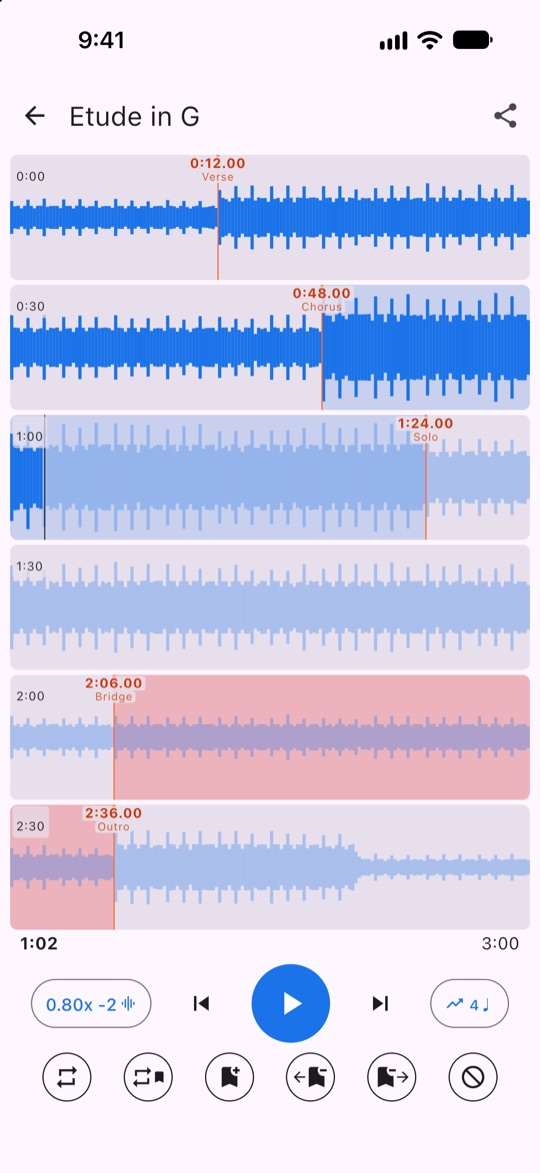
- Marks: placed while playing, named (Verse, Chorus, Solo…), adjusted by dragging.
- Loops: between two marks, over a whole section or over the entire track.
- Skip zones: jump over the parts you don't need, even inside a loop.
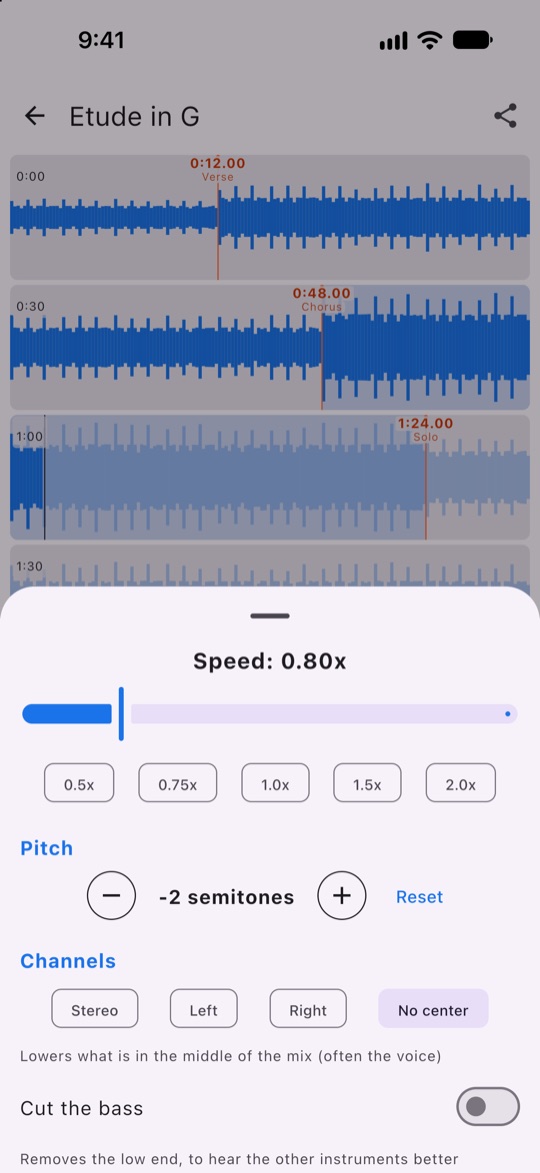
- Speed from 0.5× to 2× without changing the pitch, and transposition by semitones without changing the speed.
- Channels: left or right only, lowered center of the mix (often the voice), bass cut.
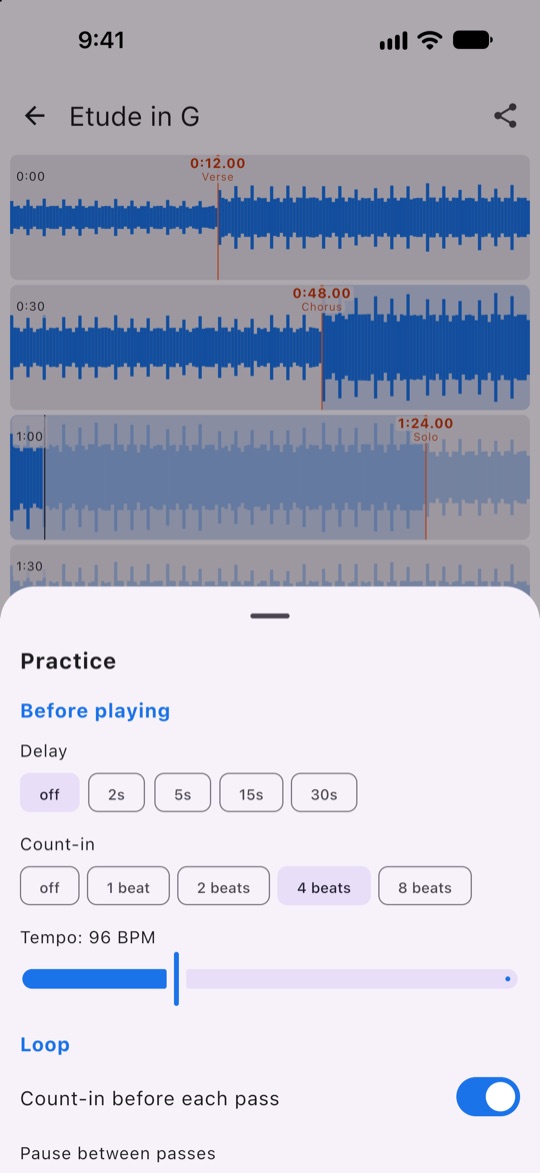
- Practice: delay before playing, metronome count-in, pause between passes, number of repetitions, and progressive speed that goes up at each pass.
- Sharing: marks export to a
.sonodrillfile to send to a teacher or a bandmate; they also sync between your devices through iCloud. - Open audio from other apps (Files, Voice Memos, Mail…), background playback and lock screen controls.
No account, no data collected: your files stay on your device, only your marks go through your own iCloud. See the privacy policy.
Support
A question, a problem, an idea? Write to me: jean@schurger.org.